 GoFrog

For companies
Company life in one app: who is in the office when, carpooling, coffee with a colleague, benefits, company events and Company health for management. People open it every week and nobody tracks them.
Book a demoOne person organizes it all
Someone collects email replies and copies them to a spreadsheet. Meanwhile the date changes.
Receipts
Who paid what and what goes to accounting. It piles up until the end of the event.
Attendance
Who is coming, who does not eat meat and who needs a ride, always somewhere else.
Why GoFrog at work
Team days happen twice a year. A company needs people who know each other, ride together and stay fit every week. GoFrog adds everyday modules you switch on as you need them.
People open it every week
Carpooling, coffee with a colleague, lunch and breaks. Not an app for one event, but part of the working week.
One app instead of five
Events, carpooling, breaks, polls and lending in one place with one list of people. HR manages one thing.
Switch on only what fits
Every module is switched on separately and per office. A small workshop turns on carpooling and clubs, a large company everything.
Trusted because nobody is tracked
No location, no rankings, leadership sees only totals from 5 people up. That is why people actually join in.
In your brand
Your logo and colours in the company part of the app. Personal trips stay personal and separate.
Czechia and Colombia
Czech, English and Spanish, crowns, euros and pesos, local times and maps of the whole world.
Everything we offer companies
Each feature has its own page: why a company wants it, how it works and what it brings.
Every day at work
- People and Team weekColleagues in one place and who is in the office when.How it works →
- Benefits and hiringBenefits people know about, and Refer a colleague.How it works →
- Carpooling to workColleagues who live nearby share one car, split the costs, and the company saves parking spaces.How it works →
- Random coffeeEvery week, pairs of colleagues from different departments. The app finds the time and the café.How it works →
- Breaks at workReminds people of breaks required by regulations and guides a short routine for eyes, back and wrists.How it works →
- Office lifeLunch with colleagues, who's in the office when, walks around the building, company clubs and a new starter's first week.How it works →
- Thanks, celebrations and pollsThank a colleague, birthdays with a secret collection and anonymous polls in one tap.How it works →
- Lending, parking and tipsCompany kit to borrow, parking bookings and a map of tips from colleagues.How it works →
Events, admin and large companies
- Company eventsTeam building, offsites, family and volunteering days. Templates, sign-ups, agenda and settling up.How it works →
- Business tripsFlights, hotel, program and receipts by photo.How it works →
- Company admin and brandingSites, departments, roles and people in one place. Tasks, announcements and the app in your company colours.How it works →
- Company healthTeam barometer and a management overview, totals only.How it works →
- Insights, challenges and ESGTeam challenges, a sustainability overview and ESG figures. Totals only, never per person.How it works →
- For large companiesEntry by work email, admins with 2FA, an audit trail and a start with one team.How it works →
Everything GoFrog offers companies
Everything a company needs for events, people, money and safety, in one app.
Events and programme
Date voting and polls
Polls pick the date and place, not twenty emails.
Invite by link and a note for everyone
A link, QR or code. Everyone sees the organiser note.
Waiting list and substitutes
Capacity, exact order and a stand-in who hears in time.
Program options
Several program options in the afternoon, everyone picks one.
Meal plan, packing and water
Who skips meat, who brings water and what to buy.
Repeat an event
Last year’s team day again in a few clicks, programme included.
Events in the phone calendar
Events show up in the calendar and meeting changes sync by themselves.
People, teams and offices
Members without an account or phone
Guests join with just a name, no sign-up, even without a phone.
Split groups and day options
Part of the team cycles, part hikes. Each group has its own chat, plan and expenses.
Attendance and groups
Teams and departments as groups in the event, with pick-up points.
Company events and a board for colleagues
Colleagues from other offices and departments see company hikes, rides and meetups and join in.
Join with a work email or QR
Members only with a verified company domain or invite. Leave any time.
Team challenges from 5 people
A shared goal for a team or the whole company, such as kilometres or minutes of activity a month. No ranking of people.
Money and accounting
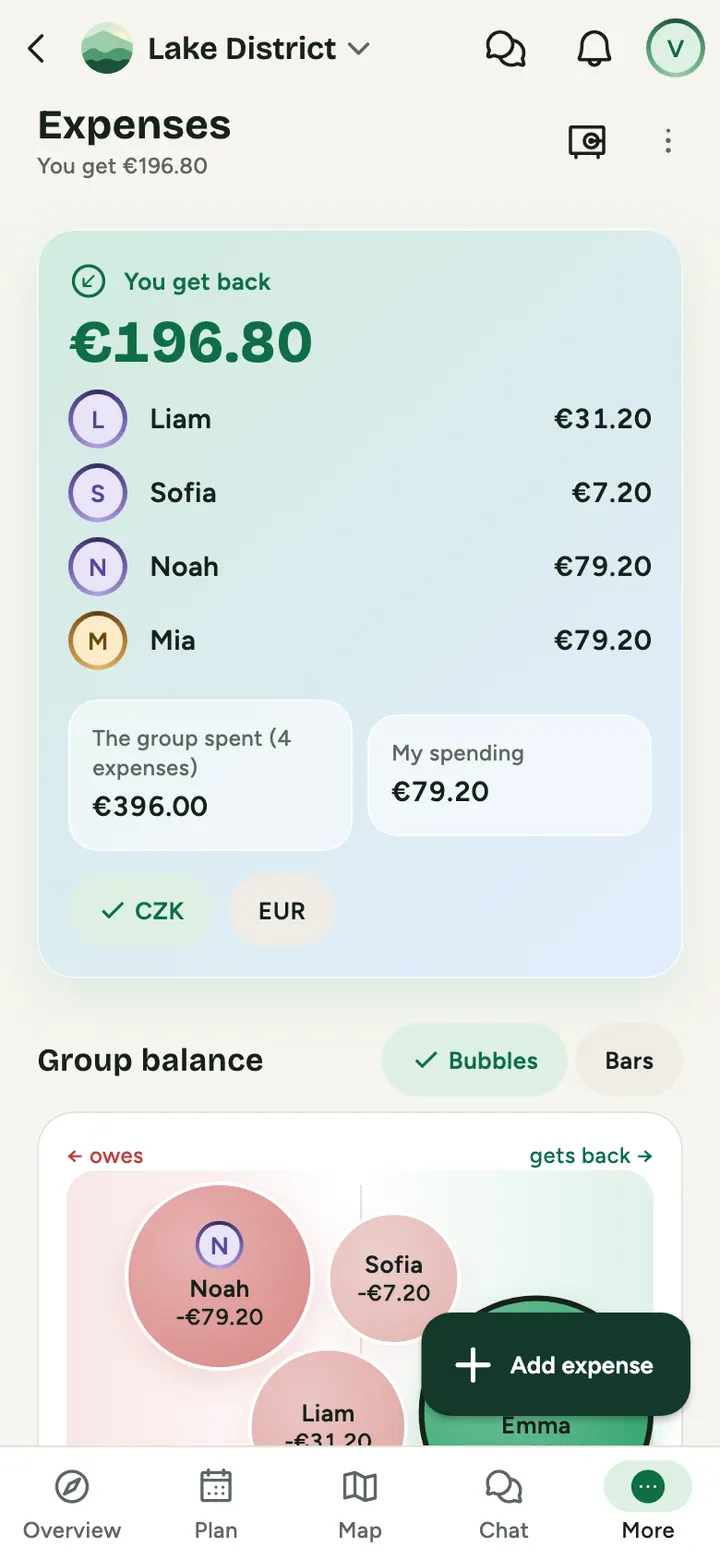
Expense overview for the whole event
Every event expense in one place, in any currency.
Attendee list as PDF, Excel and CSV
For the reception desk, the bus or the insurer in one tap.
Safety and care
Emergency card, even without signal
Emergency contacts and allergies at hand, even without signal.
Health details only with consent
Everyone chooses what the organiser sees. Access closes after the event.
Program and documents without signal
Programme, vouchers and documents work in the mountains without signal.
Access history
Who opened a document or changed a role. Records cannot be edited or deleted.
Encryption and deletion on schedule
Sensitive data encrypted with its own key, deleted items gone after 30 days.
Czech, English and Spanish
For teams in Czechia and Latin America, times always local to the event.
For leadership and HR
Organisation, admins and company branding
Admins with two-factor sign-in, the company logo and colours inside company events.
Engagement overview for leadership
A sustainability overview as PDF: challenge kilometres, carpooling and volunteer hours, totals from 5 people only.
Online setup, export and exit
Order your plan and accept terms online, the deposit invoice arrives by email and the plan switches on after payment.
Your company never sees who went where
Staff have to trust GoFrog or they will not use it. That is why fixed rules apply and companies accept them in the contract.
- Joining is voluntary and anyone can leave at any time. Nobody sees who did not join.
- Leadership sees only company and team totals, and only from 5 people up. No list of who walked how far.
- Private trips, places, photos and spending never count towards the company.
- Rankings only between teams. Rewards for taking part, not for performance.
- GoFrog data must not be used to evaluate employees. It is written in the contract.
For large companies and corporations
For companies with hundreds or thousands of people we start with one team, not a company-wide tender.
Start with one department or office
Three months with one team, for example as part of a spring challenge. At the end you have engagement numbers and feedback from people.
An annual licence for the whole company
A fixed yearly price with no per-head counting, so it fits the budget. We set the price by company size.
Company branding and your own challenges
Your logo and colours in company events, challenges that follow your calendar and help with the first events.
Common questions
Does the company see employees’ private trips?
No. Private trips stay private and never count towards the company. Management only sees team totals from 5 people.
Does everyone have to install an app?
No. GoFrog works on phones and in the browser on computers, and guests join with just a name.
Can it produce settlements for accounting?
Yes. Download all event expenses as a spreadsheet any accounting software or Excel can open. Between people it works out who owes whom.
Does it work for offices abroad?
Yes. GoFrog is in Czech, English and Spanish, times follow the event location and maps cover the whole world, including detailed data for Colombia.
Where is the data stored?
On servers in the European Union. Sensitive data is encrypted, and we sign a data processing agreement with every company.
How much does it cost?
A yearly licence by company size: up to 5 people €239, up to 25 people €490, up to 100 people €1,190, up to 250 people €2,390 and up to 1,000 people €3,990, excluding VAT. Larger companies get a tailored price. You can start with a single company event.
Book a demo
We will get back to you and arrange a short demo. It costs nothing and commits you to nothing.